The timer switch is an electrical control device that can automatically switch the circuit at a predetermined time to provide convenient automation for lighting, heating, refrigeration and other electrical systems.
Understanding the types, functions and applications of the timer switch will help you choose the automation solution that best suits your needs while ensuring safety, compliance and optimal performance.
What is a Timer Switch ?
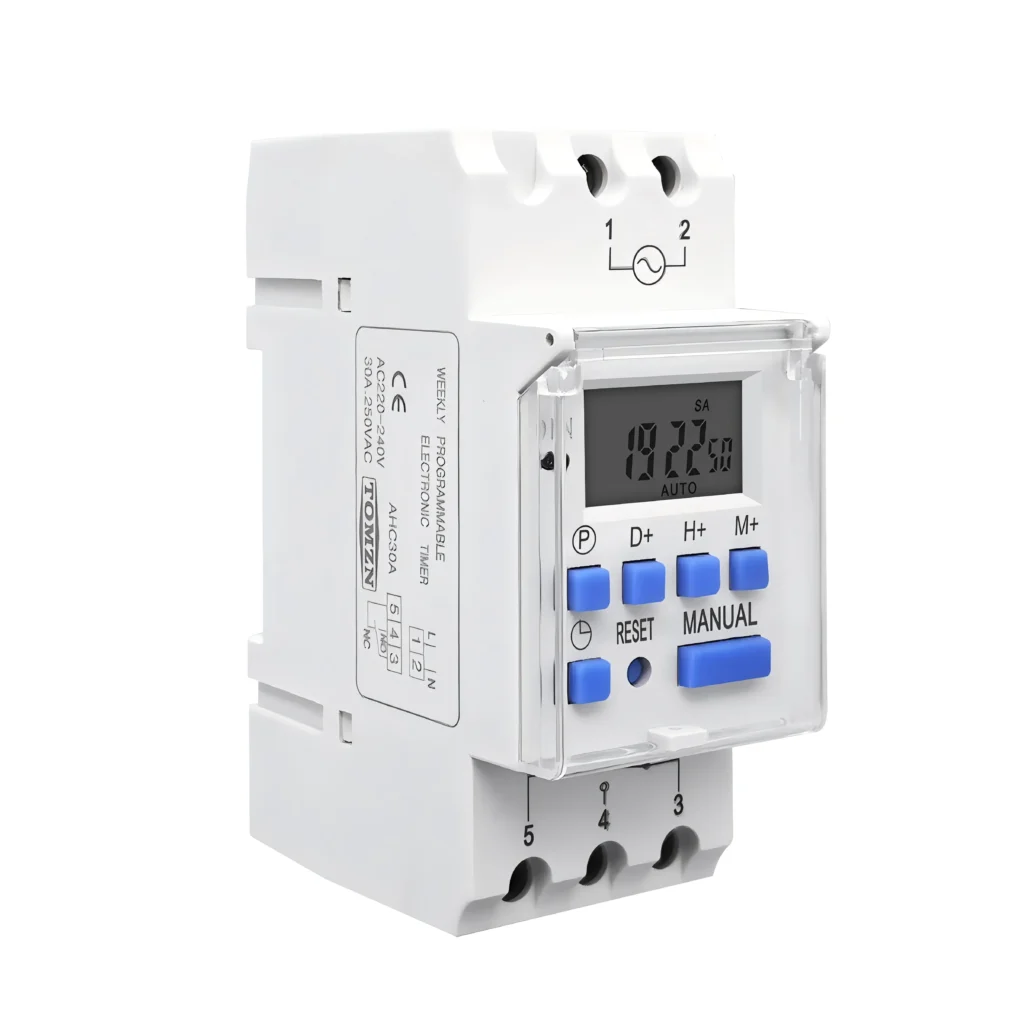
The timer switch replaces the traditional wall switch to realize the automatic control of the circuit. These devices control the timing of the power flow to the connected device through an internal timing mechanism – a mechanical spring, a digital microprocessor or an intelligent connection.
Types and Characteristics of Timer Switches
There are many kinds of timer switch products on the market, which can be divided into the following categories according to their internal structure and function :
| Type | Internal Structure | Features |
| Mechanical timer switch | Turntable, gear and dial | · Simple Structure · Durable · Lower price · The setting period is usually 24 hours. · The setting accuracy is low. |
| Digital timer switch | Microprocessor and LCD display | · It is set exactly to minutes. · It has advanced functions such as multiple sets of programs, countdown, random mode. · Equipped with a backup battery. |
| Electronic timer switch | Electronic components | Functional diversity: It can achieve more accurate control and longer service life than mechanical. |
| Intelligent timer switch | Wi-Fi / Bluetooth module and integrated APP | · It can be remotely controlled and programmed by mobile phone App. · Support voice assistant |
Mechanical timer switch
The mechanical timer switch is driven by an internal clock bar or synchronous motor to drive a dialable 24-hour dial. The user sets the on-off time by dialing the plastic sheet or the bolt.
It is suitable for industrial equipment, pumps, simple lighting, water heaters, etc.
Digital timer switch
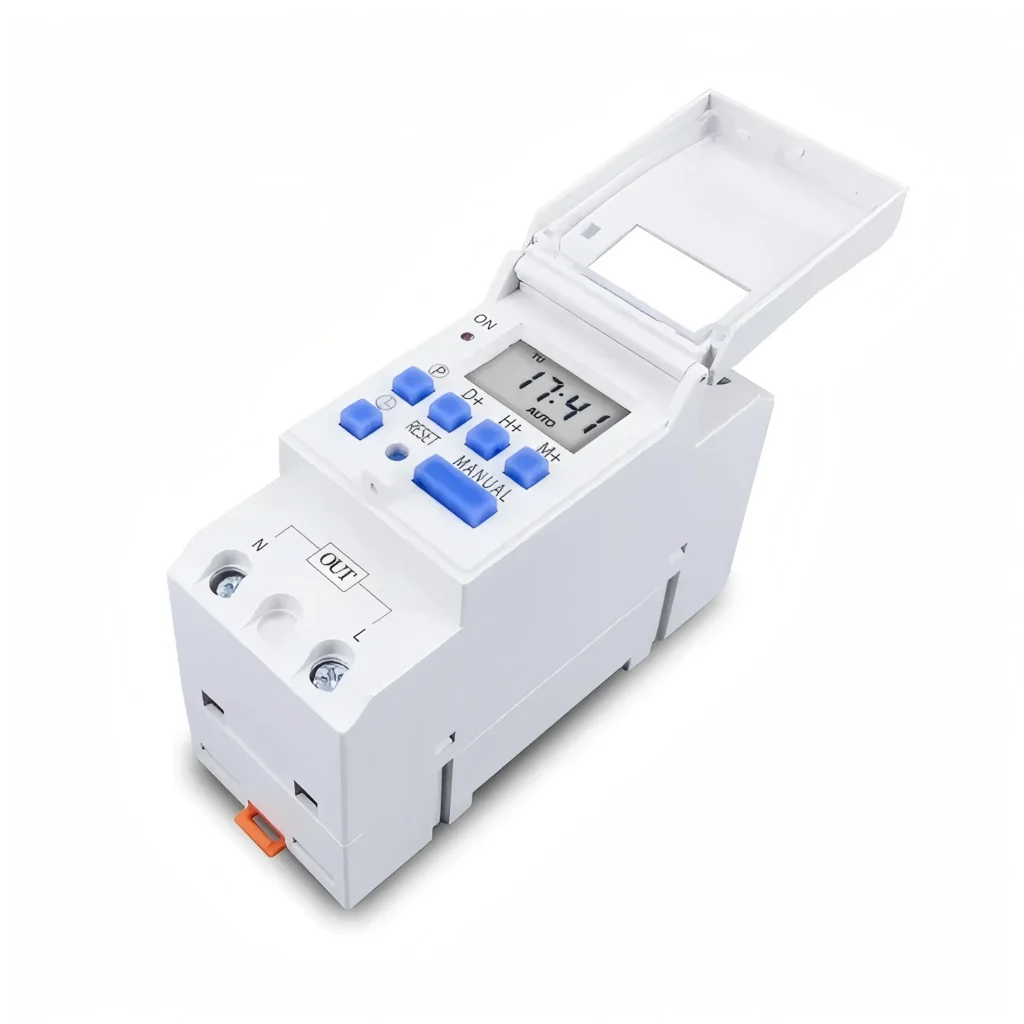
The digital timer switch uses a high-precision electronic clock to trigger the relay, so as to achieve accurate and automatic on-off control of the circuit.
It is suitable for household appliances, complex lighting and precise control equipment.
Electronic timer switch
The working principle of the electronic timer switch is highly similar to the working principle of the digital timer switch that you just know, because the digital timer switch is a main form of the electronic timer switch. It is suitable for modern homes, intelligent buildings, etc.
Intelligent timer switch
Intelligent timer switch is an automatic device that realizes remote programming and control through a network connection module by using the basic functions of electronic timing and relay. It is suitable for smart home systems, remote management, etc.
What is the Working Principle of the Timer Switch ?
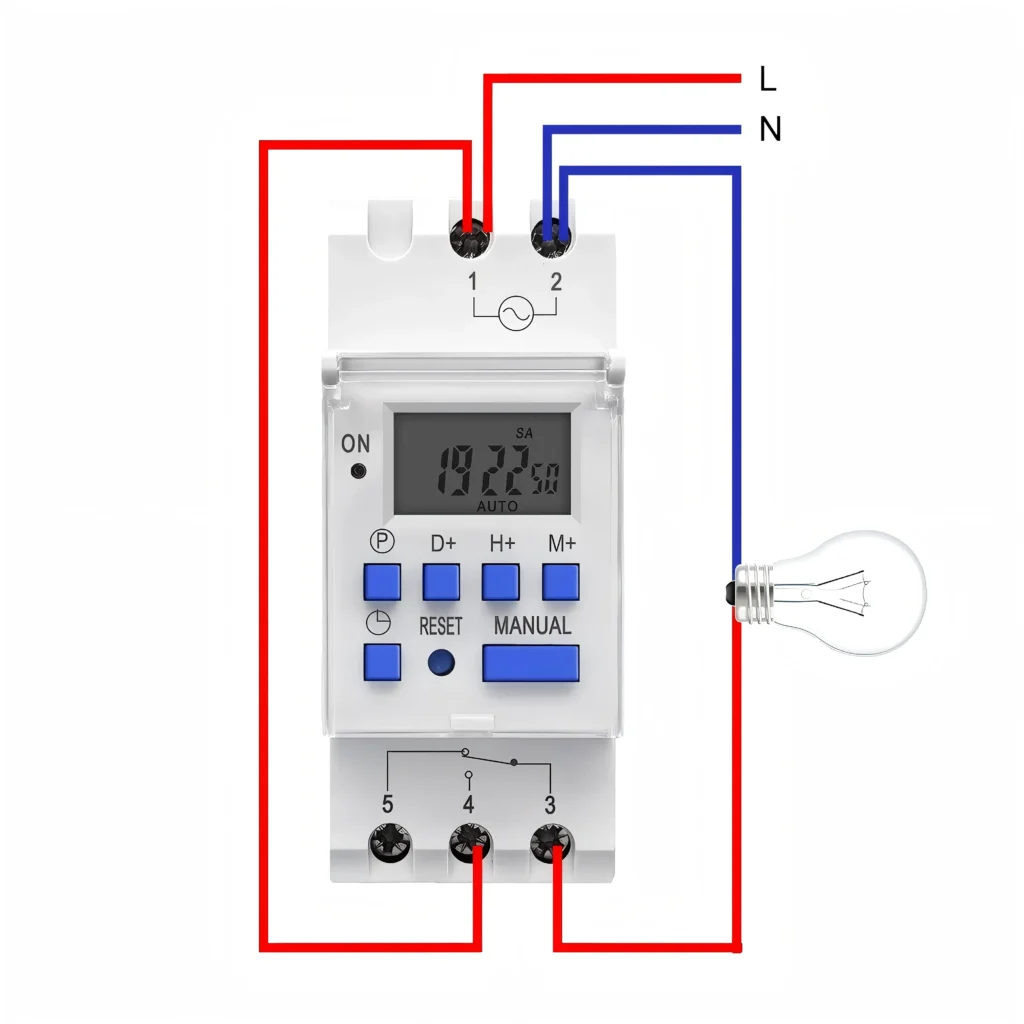
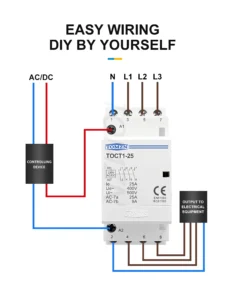
( A Timer Switch’s Wiring Diagram )
The core principle of the timer switch is the combination of the clock mechanism and the relay.
Clock mechanism
This is the part of setting and tracking time. For the traditional mechanical timer switch, it may be a spring-driven or micro-motor-driven turntable. For electronic timer switch and digital timer switch, it is a built-in microprocessor and crystal oscillator, responsible for maintaining accurate real-time clocks.
Relay
When the built-in clock reaches the user ‘s preset on or off time point, it will trigger the relay. The relay is like an electric ‘ door ‘, it will immediately close or disconnect the power supply circuit connected to the device, so as to realize automatic control.
The Application of Timer Switch
Timer switches are widely used in daily life and industrial production. They are important tools for automation and energy saving :

- Home lighting control : set the courtyard lights, landscape lights or home lights to automatically open at dusk and automatically close at dawn.
- Bathroom and exhaust system : Use a timer switch to control the running time of the exhaust fan in the bathroom, ensure that the air is automatically closed after circulation, and prevent energy waste.
- Heating system : automatically open and close the water heater or electric heating equipment, only run when needed.
- Security application : set the indoor lights randomly open and close, create the illusion of ‘ someone at home ‘, with an anti-theft function.
- Industry and agriculture : control water pumps, sprinkler systems, billboard lighting, automated production line equipment.
How to Choose the Timer Switch? ( Mechanical and Digital )
When choosing the right timer switch for you, the most critical decision is to determine the precision and functionality you need :
| Types | Mechanical timer switch | Digital timer switch |
| Precision requirements | Low. Mainly used for setting by hour or half an hour. | High. It can be accurate to minutes or even seconds, suitable for precise control. |
| Number of programs | Only one procedure was repeated daily or weekly. | Up to 20 groups or more switching programs can be stored. |
| Functional complexity | Simple switch function, intuitive operation. | Have countdown, random mode, summer time adjustment and so on. |
| reliability | The structure is strong and usually stable in harsh environments. | Relying on electronic components, it is more flexible in function. |
Tomzn recommends : If you only need a simple daily repeat cycle, select a mechanical timer switch. If you need extremely high precision and a variety of different programs, please select a digital timer switch or an electronic timer switch.
No matter which timer switch you choose, you must check the technical specifications :
1. Rated voltage must be matched to your supply voltage.
2. Rated current / load capacity ( Current / Load )
- View the maximum current or maximum power of the device you want to control.
- Select a timer with a rated current ( such as 16A or 25A ) greater than the current of your device.
- For high-power inductive loads ( such as motors, pumps, high-power lighting ), it is recommended to select a switch with a higher rated current to reserve a safety margin to prevent excessive starting current from damaging the switch.
Installation and Safety Guide
Whether you are installing a mechanical timer, digital timer or electronic timer, please always comply with the following safety principles :
Power-off operation
Before starting any wiring work, be sure to turn off the power supply at the main circuit breaker.
Check the rated power
Ensure that the rated current and voltage of the timer switch of your choice ( e.g., Tomzn 12V timer switch vs. 220V switch ) is greater than or equal to the power requirements of the device to which you are connected.
Ask a professional electrician
The operation and buttons of each model may be slightly different. If you are not familiar with electrical wiring, be sure to contact a qualified professional electrician for installation to ensure compliance with local electrical specifications.
Common Timer Switch Fault Troubleshooting
The device does not work at all
The switch does not respond, the indicator light does not light.
| Faults | Possible Reasons |
| Equipment no electricity / no reaction | The power supply is not energized / wiring error. |
| Digital / smart switch screen is not bright. | Built-in battery power is depleted. |
| Mechanical switch turntable does not turn. | Internal timing motor failure or stuck. |
Equipment no electricity / no reaction
Check the total power supply : to confirm the control of the circuit breaker ( air switch ) is in the ‘ ON ‘ position.
Check the wiring : check the instructions again to ensure that the input ( L / N ) and output ( load ) wiring is correct and firm.
Digital / smart switch screen is not bright
Continuous power supply : the switch is connected to the main power supply for several hours. Most electronic switches have built-in backup batteries, which need to be charged to work normally after initial use or power failure.
Check the fuse : some models have built-in fuse, may be due to short circuit fuse
Mechanical switch turntable does not turn
Try to flick the turntable with your hand. If it is still not turned and it is determined that the power supply is connected, the inside of the switch may be damaged and needs to be replaced.
Timing function is not accurate or does not perform
| Faults | Possible Reasons |
| Equipment often on or off ( timing failure). | Setting mode causes an error. |
| Inaccurate on / off time | Mechanical : current time setting error. Digital : program setting error. |
| Smart switch time drift | Network connection or cloud synchronization issues. |
| The mechanical switch dial is skipped | Rotary dial setting loose. |
Equipment often open or close ( timing failure )
Check mode : Ensure that the dial switch ( mechanical ) or mode button ( digital ) is in the ‘ TIMER ‘ or ‘ AUTO ‘ ( automatic ) position, rather than ‘ ON ‘ ( normally open ) or ‘ OFF ‘ ( normally closed ).
Inaccurate on / off time
Mechanical : Re-rotate the dial to align the current time to the scale line / pointer.
Digital : Re-enter the programming mode to check whether all ON / OFF time points are correct, especially the week settings.
Smart switch time drift
Check Wi-Fi : Ensure that the switch is connected to the Wi-Fi router stably, because the smart switch usually requires regular networking calibration time.
Resynchronization : Try to ‘ synchronize ‘ or ‘ restart ‘ the device in the App.
The mechanical switch dial is skipped
Check that all the dials are completely in the ‘ press ‘ or ‘ dial out ‘ position to ensure good contact.
Switch damaged or burned ( safety warning )
| Faults | Possible Reasons |
| Switch shell heating / burning smell | Excessive load ( the most common reason ) |
| The relay rattles but the device doesn ‘t work. | Relay contact ablation adhesion. |
Switch shell heating / burning smell
Please power off immediately.
Check power : Check whether the actual current / power of the device you control exceeds the rated load capacity of the timer ( for example, the switch is 16A, but the load reaches 20A ).
Replace the high-power switch : If the load is too large, you must replace the timing switch with a larger rated current, and if necessary, you need to install a contactor / relay to divert the high-power load.
The relay rattles but the device doesn ‘t work
Long-term high current use may lead to relay contact ablation. The switch is damaged and needs to be replaced.
General troubleshooting skills
Eliminate the problem of the device itself
Disconnect the timer switch and plug the device to be controlled directly into the ordinary socket. If the device itself does not work, the problem is not the switch.
Reset
Most digital timers have a hidden ‘ Reset ‘ hole or button. Using small objects to press this key can clear all settings and restore the switch to the factory default state, which helps to solve the problem of program confusion.
Maybe You Also Like
TOMZN 2P 63A 110V 220V TUYA WIFI Smart Switch
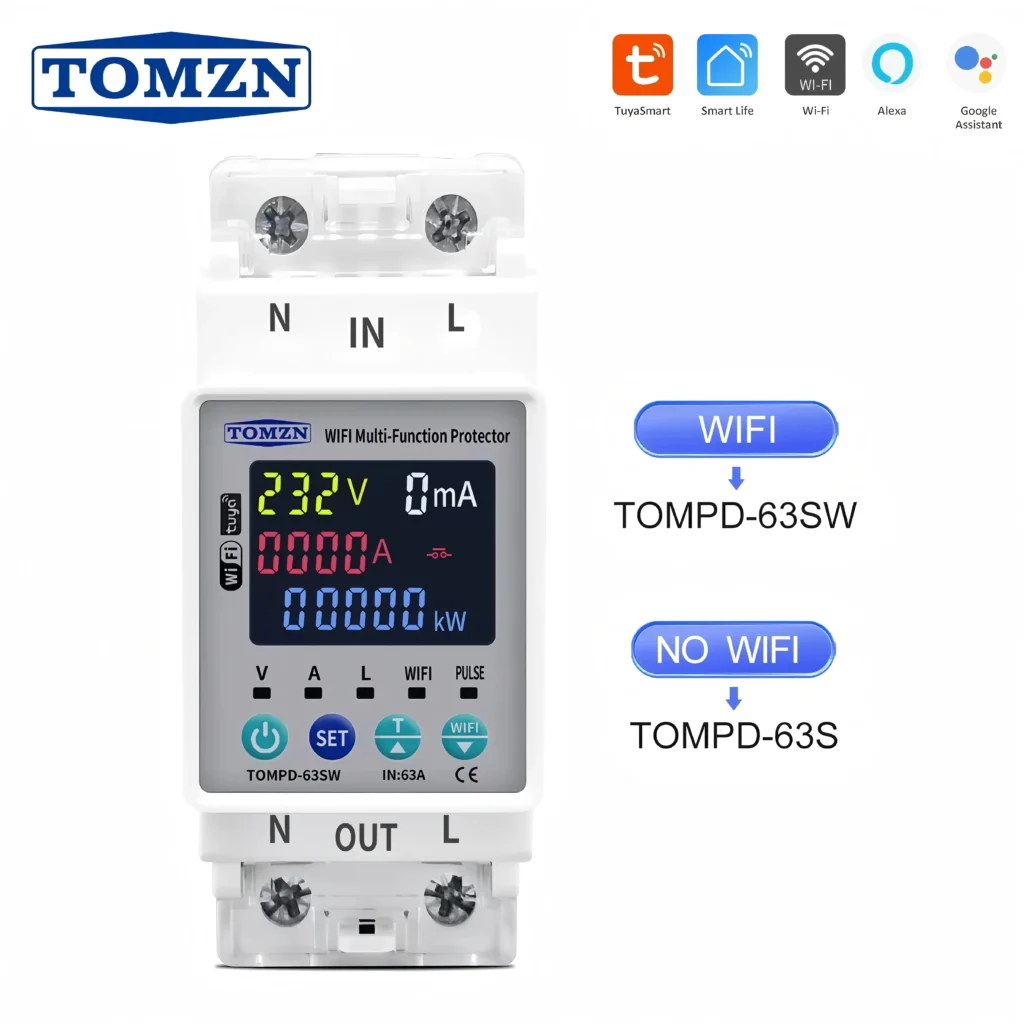
New type Din Rail single phase Weekly 7 Days Programmable Digital Timer Switch