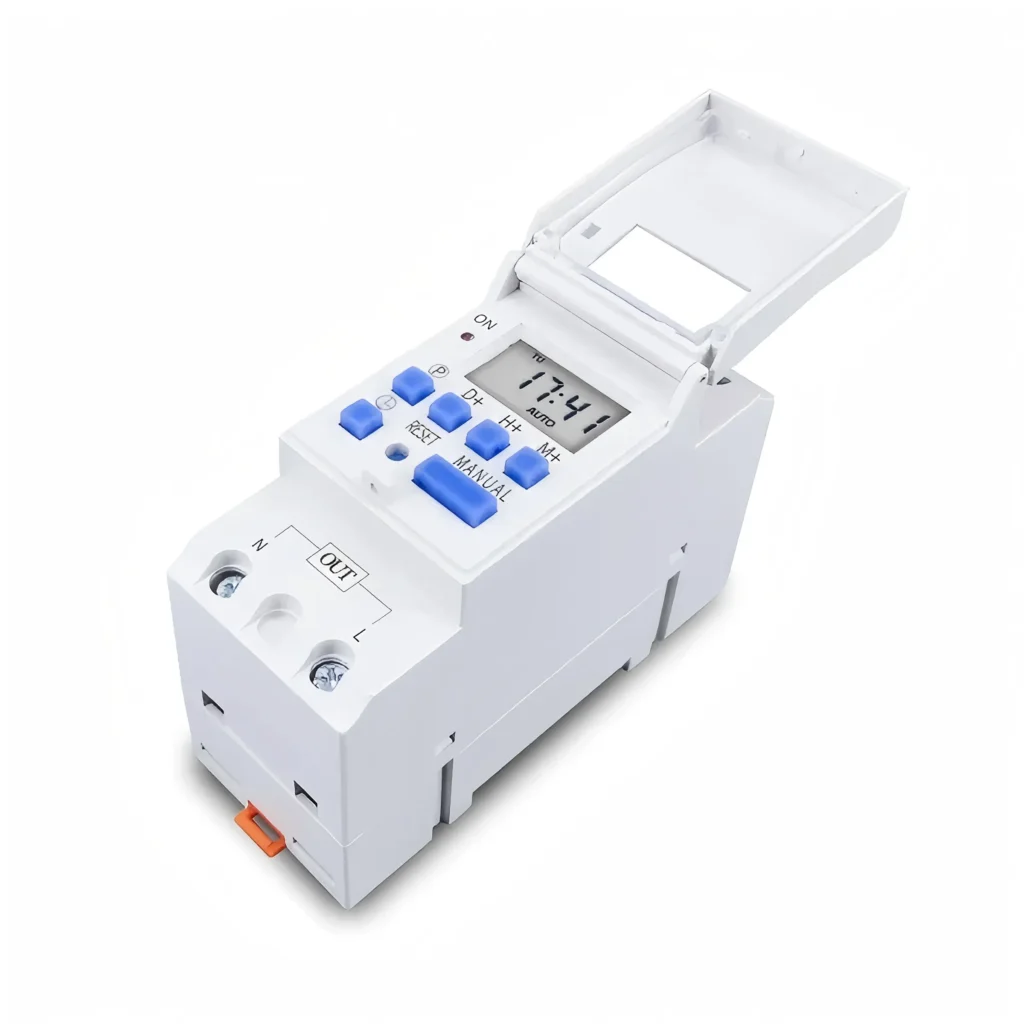
အချိန်တိုင်းကိရိယာသည် မီးထွန်းခြင်း၊ အပူပေးခြင်း၊ ရေခဲသေတ္တာနှင့် အခြားလျှပ်စစ်စနစ်များအတွက် အဆင်ပြေသော အလိုအလျောက်လုပ်ဆောင်မှုကို ပေးစွမ်းနိုင်ရန် ကြိုတင်သတ်မှတ်ထားသောအချိန်တွင် ဆားကစ်ကို အလိုအလျောက်ပြောင်းလဲပေးနိုင်သည့် လျှပ်စစ်ထိန်းချုပ်ကိရိယာတစ်ခုဖြစ်သည်။
အချိန်တိုင်းကိရိယာခလုတ်၏ အမျိုးအစားများ၊ လုပ်ဆောင်ချက်များနှင့် အသုံးချမှုများကို နားလည်ခြင်းသည် ဘေးကင်းမှု၊ လိုက်နာမှုနှင့် အကောင်းဆုံးစွမ်းဆောင်ရည်ကို သေချာစေသည့်အပြင် သင့်လိုအပ်ချက်များနှင့် အကိုက်ညီဆုံး အလိုအလျောက်ဖြေရှင်းချက်ကို ရွေးချယ်ရန် ကူညီပေးပါလိမ့်မည်။
Timer Switch ဆိုတာ ဘာလဲ။
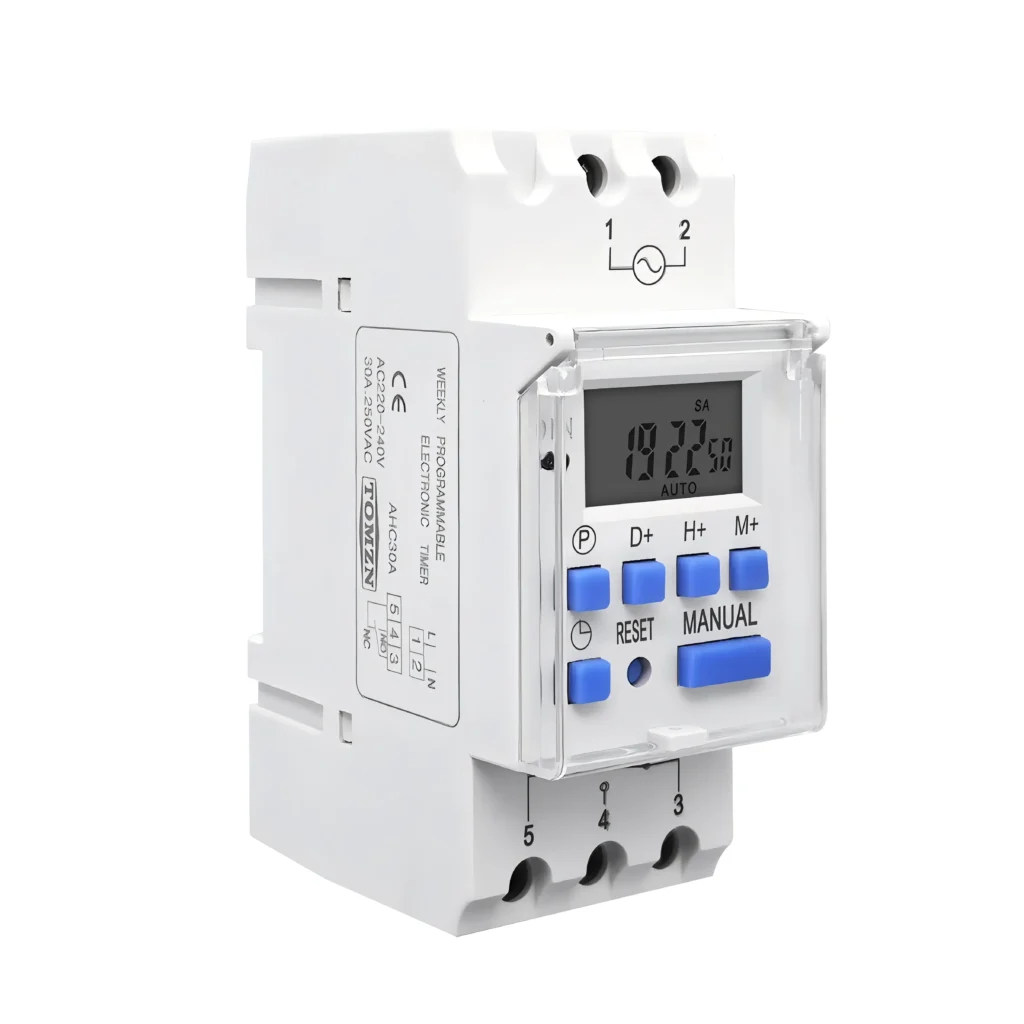
အချိန်တိုင်း ကိရိယာ သည် ရိုးရာနံရံခလုတ်ကို အစားထိုးအသုံးပြုပြီး ဆားကစ်ကို အလိုအလျောက်ထိန်းချုပ်ပေးသည်။ ဤကိရိယာများသည် ချိတ်ဆက်ထားသော ကိရိယာသို့ ပါဝါစီးဆင်းမှုအချိန်ကိုက်ကို စက်ပိုင်းဆိုင်ရာစပရိန်၊ ဒစ်ဂျစ်တယ်မိုက်ခရိုပရိုဆက်ဆာ သို့မဟုတ် ဉာဏ်ရည်ထက်မြက်သော ချိတ်ဆက်မှုမှတစ်ဆင့် ထိန်းချုပ်ပေးသည်။
Timer Switch များ၏ အမျိုးအစားများနှင့် ဝိသေသလက္ခဏာများ
There are many kinds of timer switch products on the market, which can be divided into the following categories according to their internal structure and function:
| ပုံစံ | ပြည်တွင်းဖွဲ့စည်းပုံ | အင်္ဂါရပ်များ |
|---|---|---|
| စက်ပိုင်းဆိုင်ရာ အချိန်တိုင်းကိရိယာ ခလုတ် | လှည့်ကွက်၊ ဂီယာနှင့် ဒိုင်ခွက် | · Simple Structure · ကြာရှည်ခံသော · စျေးချိုသော · သတ်မှတ်ချိန်ကာလသည် ပုံမှန်အားဖြင့် ၂၄ နာရီဖြစ်သည်။ · သတ်မှတ်မှု တိကျမှု နည်းပါးသည်။ |
| ဒစ်ဂျစ်တယ်အချိန်တိုင်းကိရိယာခလုတ် | မိုက်ခရိုပရိုဆက်ဆာနှင့် LCD မျက်နှာပြင် | · မိနစ်အလိုက် အတိအကျ သတ်မှတ်ထားပါတယ်။ · ၎င်းတွင် ပရိုဂရမ်အစုံများစွာ၊ countdown၊ random mode ကဲ့သို့သော အဆင့်မြင့်လုပ်ဆောင်ချက်များ ပါရှိသည်။ · အရန်ဘက်ထရီတပ်ဆင်ထားသည်။ |
| အီလက်ထရွန်းနစ် အချိန်တိုင်းကိရိယာ ခလုတ် | အီလက်ထရောနစ်အစိတ်အပိုင်းများ | လုပ်ဆောင်ချက် ကွဲပြားမှု: ၎င်းသည် စက်ပိုင်းဆိုင်ရာထက် ပိုမိုတိကျသော ထိန်းချုပ်မှုနှင့် ပိုမိုကြာရှည်သော ဝန်ဆောင်မှုသက်တမ်းကို ရရှိနိုင်မည်ဖြစ်သည်။ |
| ဉာဏ်ရည်ထက်မြက်သော အချိန်တိုင်းကိရိယာ ခလုတ် | Wi-Fi/Bluetooth module and integrated APP | · ၎င်းကို အဝေးထိန်းစနစ်ဖြင့် ထိန်းချုပ်နိုင်ပြီး မိုဘိုင်းဖုန်းအက်ပ်ဖြင့် ပရိုဂရမ်ရေးသားနိုင်ပါသည်။ · အသံလက်ထောက်ကို ပံ့ပိုးပါ |
စက်ပိုင်းဆိုင်ရာ အချိန်တိုင်းကိရိယာ ခလုတ်
စက်ပိုင်းဆိုင်ရာ အချိန်တိုင်းကိရိယာခလုတ်ကို အတွင်းပိုင်းနာရီဘား သို့မဟုတ် synchronous မော်တာဖြင့် မောင်းနှင်ပြီး ၂၄ နာရီ ချိန်ညှိနိုင်သော ချိန်ညှိမှုကို မောင်းနှင်သည်။ အသုံးပြုသူသည် ပလတ်စတစ်ပြား သို့မဟုတ် ဘို့ကို ချိန်ညှိခြင်းဖြင့် ဖွင့်/ပိတ်ချိန်ကို သတ်မှတ်သည်။
၎င်းသည် စက်မှုလုပ်ငန်းသုံး ပစ္စည်းကိရိယာများ၊ ရေစုပ်စက်များ၊ ရိုးရှင်းသော မီးအလင်းရောင်များ၊ ရေပူပေးစက်များ စသည်တို့အတွက် သင့်လျော်ပါသည်။
ဒစ်ဂျစ်တယ်အချိန်တိုင်းကိရိယာခလုတ်
ဒစ်ဂျစ်တယ် အချိန်တိုင်းကိရိယာခလုတ်သည် ရီလေးအားလှုံ့ဆော်ရန် မြင့်မားသောတိကျမှုရှိသော အီလက်ထရွန်းနစ်နာရီကို အသုံးပြုသောကြောင့် ဆားကစ်ကို တိကျပြီး အလိုအလျောက် ဖွင့်/ပိတ် ထိန်းချုပ်မှုကို ရရှိစေပါသည်။
၎င်းသည် အိမ်သုံးပစ္စည်းများ၊ ရှုပ်ထွေးသော မီးအလင်းရောင်များနှင့် တိကျသော ထိန်းချုပ်မှုပစ္စည်းများအတွက် သင့်လျော်ပါသည်။
အီလက်ထရွန်းနစ် အချိန်တိုင်းကိရိယာ ခလုတ်
အီလက်ထရွန်းနစ် အချိန်တိုင်းကိရိယာ ခလုတ်၏ အလုပ်လုပ်ပုံ အခြေခံမူသည် သင်သိပြီးသား ဒစ်ဂျစ်တယ် အချိန်တိုင်းကိရိယာ ခလုတ်၏ အဓိကပုံစံဖြစ်သောကြောင့် အလွန်ဆင်တူပါသည်။ ခေတ်မီအိမ်များ၊ ဉာဏ်ရည်ထက်မြက်သော အဆောက်အအုံများ စသည်တို့အတွက် သင့်လျော်ပါသည်။
ဉာဏ်ရည်ထက်မြက်သော အချိန်တိုင်းကိရိယာ ခလုတ်
စမတ်နာရီခလုတ်သည် အီလက်ထရွန်းနစ်အချိန်ကိုက်ခြင်းနှင့် ရီလေး၏ အခြေခံလုပ်ဆောင်ချက်များကို အသုံးပြု၍ ကွန်ရက်ချိတ်ဆက်မှုမော်ဂျူးမှတစ်ဆင့် အဝေးထိန်းပရိုဂရမ်းမင်းနှင့် ထိန်းချုပ်မှုကို လုပ်ဆောင်သည့် အလိုအလျောက်ကိရိယာတစ်ခုဖြစ်သည်။ ၎င်းသည် စမတ်အိမ်စနစ်များ၊ အဝေးထိန်းစီမံခန့်ခွဲမှုစသည်တို့အတွက် သင့်လျော်သည်။
Timer Switch ရဲ့ အလုပ်လုပ်ပုံ အခြေခံမူက ဘာလဲ။
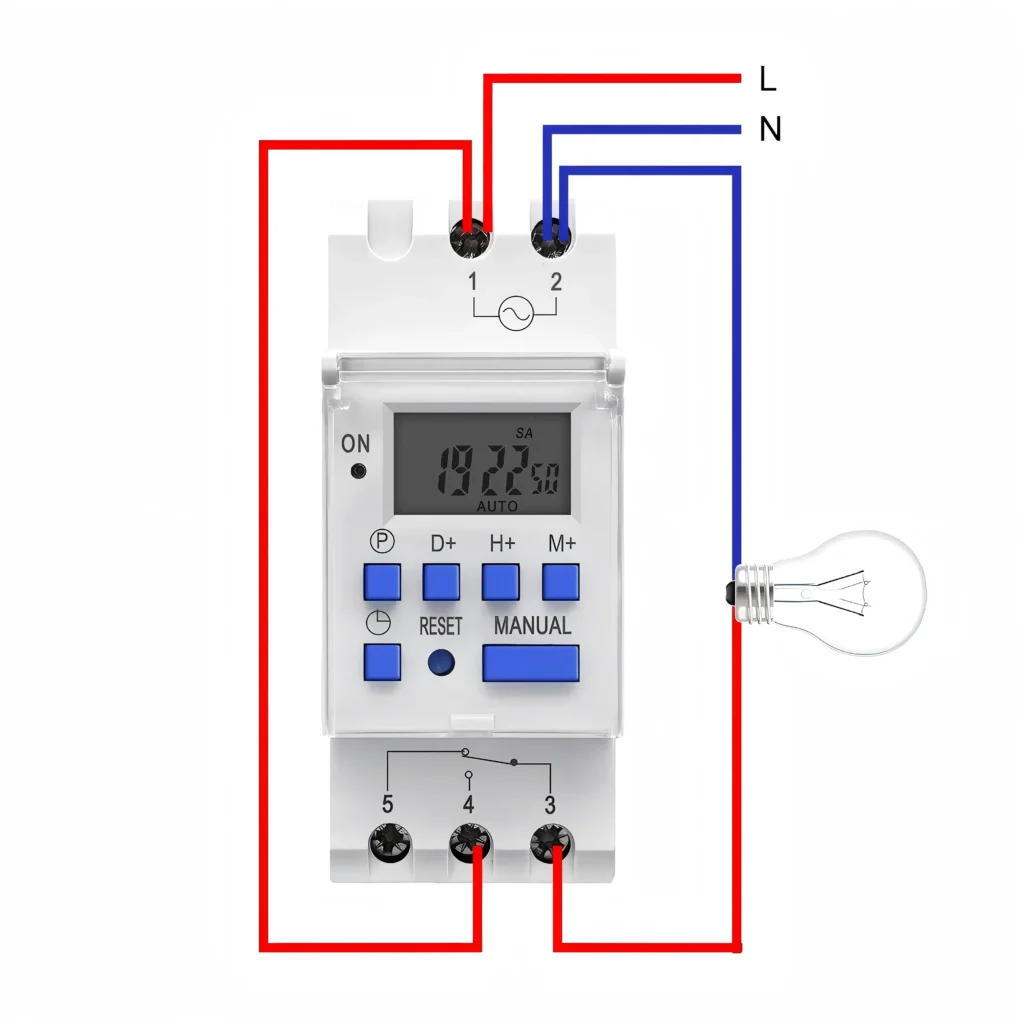
Timer switch ရဲ့ အဓိက အခြေခံမူကတော့ clock mechanism နဲ့ relay ပေါင်းစပ်ထားမှုပါပဲ။
နာရီယန္တရား
ဒါက အချိန်သတ်မှတ်ခြင်းနဲ့ ခြေရာခံခြင်းရဲ့ အပိုင်းပါ။ ရိုးရာ mechanical timer switch အတွက်ကတော့ spring-driven ဒါမှမဟုတ် micro-motor-driven turntable ဖြစ်နိုင်ပါတယ်။ electronic timer switch နဲ့ digital timer switch အတွက်ကတော့ တိကျတဲ့ real-time clock တွေကို ထိန်းသိမ်းပေးတဲ့ built-in microprocessor နဲ့ crystal oscillator တစ်ခု ဖြစ်ပါတယ်။
relay
When the built-in clock reaches the user’s preset on or off time point, it will trigger the relay. The ထပ်ဆင့်လွှင့်သူ is like an electric ‘door’, it will immediately close or disconnect the power supply circuit connected to the device, so as to realize automatic control.
Timer Switch အသုံးချမှု
Timer switches are widely used in daily life and industrial production. They are important tools for automation and energy saving:
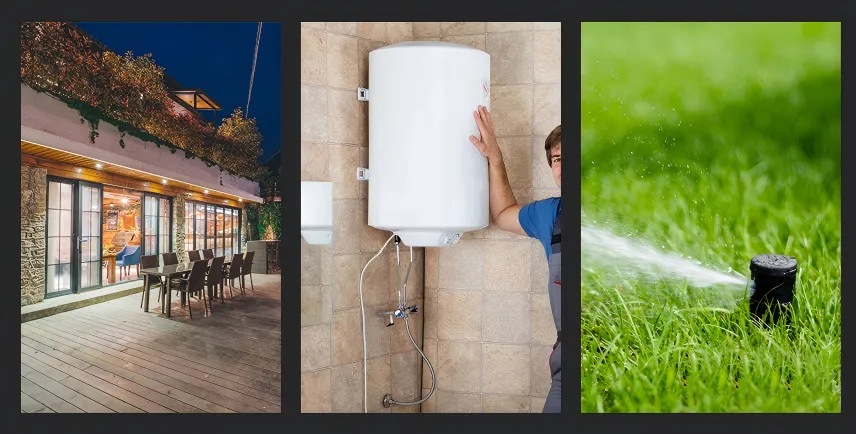
- အိမ်မီးအလင်းရောင်ထိန်းချုပ်မှုခြံဝင်းမီးများ၊ ရှုခင်းမီးများ သို့မဟုတ် အိမ်သုံးမီးများကို ညနေခင်းတွင် အလိုအလျောက်ဖွင့်ပြီး မိုးလင်းချိန်တွင် အလိုအလျောက်ပိတ်ရန် သတ်မှတ်ပါ။
- ရေချိုးခန်းနှင့် ရေငွေ့ထုတ်စနစ်ရေချိုးခန်းရှိ လေထုတ်ပန်ကာ၏ လည်ပတ်ချိန်ကို ထိန်းချုပ်ရန်၊ လေလည်ပတ်ပြီးနောက် လေကို အလိုအလျောက်ပိတ်ကြောင်း သေချာစေရန်နှင့် စွမ်းအင်ဖြုန်းတီးမှုကို ကာကွယ်ရန်အတွက် အချိန်တိုင်းကိရိယာကို အသုံးပြုပါ။
- အပူ system ကို ရေပူစက် သို့မဟုတ် လျှပ်စစ်အပူပေးစက်များကို အလိုအလျောက် ဖွင့်/ပိတ်ပါ၊ လိုအပ်သည့်အခါတွင်သာ လည်ပတ်ပါ။
- လုံခြုံရေးလျှောက်လွှာ: set the indoor lights randomly open and close, create the illusion of ‘someone at home’, with an anti-theft function.
- စက်မှုနှင့် စိုက်ပျိုးရေးရေစုပ်စက်များ၊ ရေဖြန်းစနစ်များ၊ ကြော်ငြာဘုတ်မီးများ၊ အလိုအလျောက်ထုတ်လုပ်မှုလိုင်းပစ္စည်းများကို ထိန်းချုပ်ခြင်း။
How to Choose the Timer Switch? (Mechanical and Digital)
When choosing the right timer switch for you, the most critical decision is to determine the precision and functionality you need:
| အမျိုးအစားများ | စက်ပိုင်းဆိုင်ရာ အချိန်တိုင်းကိရိယာ ခလုတ် | ဒစ်ဂျစ်တယ်အချိန်တိုင်းကိရိယာခလုတ် |
|---|---|---|
| တိကျမှုလိုအပ်ချက်များ | အနိမ့်။ အဓိကအားဖြင့် တစ်နာရီ သို့မဟုတ် မိနစ် ၃၀ သတ်မှတ်ရန်အတွက် အသုံးပြုသည်။ | မြင့်မားသည်။ မိနစ် သို့မဟုတ် စက္ကန့်အထိပင် တိကျမှုရှိနိုင်သောကြောင့် တိကျသောထိန်းချုပ်မှုအတွက် သင့်လျော်ပါသည်။ |
| အစီအစဉ်အရေအတွက် | လုပ်ထုံးလုပ်နည်းတစ်ခုတည်းကိုသာ နေ့စဉ် သို့မဟုတ် အပတ်စဉ် ပြန်လုပ်ခဲ့သည်။ | အုပ်စု ၂၀ အထိ သို့မဟုတ် ထို့ထက်ပိုသော switching program များကို သိမ်းဆည်းထားနိုင်သည်။ |
| လုပ်ငန်းဆောင်တာ ရှုပ်ထွေးမှု | ရိုးရှင်းသော switch function၊ အလိုလိုသိနိုင်သောလုပ်ဆောင်မှု။ | countdown၊ random mode၊ နွေရာသီအချိန်ချိန်ညှိမှုစသည်တို့ရှိသည်။ |
| ယုံကြည်စိတ်ချရမှု | ဖွဲ့စည်းပုံသည် ခိုင်ခံ့ပြီး ကြမ်းတမ်းသောပတ်ဝန်းကျင်တွင် ပုံမှန်အားဖြင့် တည်ငြိမ်သည်။ | အီလက်ထရွန်းနစ် အစိတ်အပိုင်းများကို အားကိုးသောကြောင့် လုပ်ဆောင်ချက်တွင် ပိုမိုပြောင်းလွယ်ပြင်လွယ်ရှိသည်။ |
Tomzn recommends: If you only need a simple daily repeat cycle, select a mechanical timer switch. If you need extremely high precision and a variety of different programs, please select a digital timer switch or an electronic timer switch.
No matter which timer switch you choose, you must check the technical specifications:
၁။ အဆင့်သတ်မှတ်ထားသောဗို့အားသည် သင်၏ထောက်ပံ့မှုဗို့အားနှင့် ကိုက်ညီရမည်။
2. Rated current/load capacity (Current/Load)
- သင်ထိန်းချုပ်လိုသော စက်၏ အမြင့်ဆုံးလျှပ်စီးကြောင်း သို့မဟုတ် အမြင့်ဆုံးပါဝါကို ကြည့်ရှုပါ။
- Select a timer with a rated current (such as 16A or 25A) greater than the current of your device.
- For high-power inductive loads (such as motors, pumps, high-power lighting), it is recommended to select a switch with a higher rated current to reserve a safety margin to prevent excessive starting current from damaging the switch.
တပ်ဆင်ခြင်းနှင့် ဘေးကင်းရေးလမ်းညွှန်
Whether you are installing a mechanical timer, digital timer or electronic timer, please always comply with the following safety principles:
ပါဝါပိတ်ခြင်းလုပ်ဆောင်ချက်
ဝါယာကြိုးချိတ်ဆက်မှုလုပ်ငန်းမစတင်မီ၊ main circuit breaker ရှိ ပါဝါထောက်ပံ့မှုကို ပိတ်ရန် သေချာပါစေ။
အဆင့်သတ်မှတ်ထားသော ပါဝါကို စစ်ဆေးပါ
Ensure that the rated current and voltage of the timer switch of your choice (e.g., Tomzn 12V timer switch vs. 220V switch) is greater than or equal to the power requirements of the device to which you are connected.
ကျွမ်းကျင်တဲ့ လျှပ်စစ်ပညာရှင်ကို မေးကြည့်ပါ
မော်ဒယ်တစ်ခုစီ၏ လုပ်ဆောင်ချက်နှင့် ခလုတ်များသည် အနည်းငယ်ကွဲပြားနိုင်သည်။ လျှပ်စစ်ဝါယာကြိုးများနှင့် မရင်းနှီးပါက ဒေသဆိုင်ရာလျှပ်စစ်သတ်မှတ်ချက်များနှင့် ကိုက်ညီမှုရှိစေရန် တပ်ဆင်ရန်အတွက် အရည်အချင်းပြည့်မီသော လျှပ်စစ်ပညာရှင်တစ်ဦးနှင့် ဆက်သွယ်ပါ။
အဖြစ်များသော Timer Switch ချို့ယွင်းချက်ပြဿနာရှာဖွေခြင်း
ဒီကိရိယာက လုံးဝအလုပ်မလုပ်ပါဘူး
ခလုတ်က တုံ့ပြန်မှုမရှိပါ၊ အချက်ပြမီးလည်း မလင်းပါ။
| အမှား | ဖြစ်နိုင်သောအကြောင်းရင်းများ |
|---|---|
| Equipment no electricity/no reaction | The power supply is not energized/wiring error. |
| Digital/smart switch screen is not bright. | တပ်ဆင်ထားသော ဘက်ထရီပါဝါ ကုန်သွားပါပြီ။ |
| စက်ပိုင်းဆိုင်ရာခလုတ် လှည့်စားပွဲ မလည်ပါ။ | အတွင်းပိုင်း အချိန်ကိုက် မော်တာ ချို့ယွင်းခြင်း သို့မဟုတ် တုပ်နေခြင်း။ |
Equipment no electricity/no reaction
စုစုပေါင်းပါဝါထောက်ပံ့မှုကိုစစ်ဆေးပါ: to confirm the control of the circuit breaker (air switch) is in the ‘ON’ position.
ဝါယာကြိုးများကို စစ်ဆေးပါ: check the instructions again to ensure that the input (L/N) and output (load) wiring is correct and firm.
Digital/smart switch screen is not bright
ဆက်တိုက်ပါဝါထောက်ပံ့မှု: ခလုတ်ကို အဓိကပါဝါထောက်ပံ့မှုနှင့် နာရီအတော်ကြာ ချိတ်ဆက်ထားသည်။ အီလက်ထရွန်းနစ်ခလုတ်အများစုတွင် အရန်ဘက်ထရီများ တပ်ဆင်ထားပြီး ကနဦးအသုံးပြုမှု သို့မဟုတ် ပါဝါပြတ်တောက်ပြီးနောက် ပုံမှန်အလုပ်လုပ်ရန် အားသွင်းရန် လိုအပ်သည်။
ဖျူ့စ်ကို စစ်ဆေးပါမော်ဒယ်အချို့တွင် ဖျူ့စ်ပါရှိပြီး၊ ဖျူ့စ်ပတ်လမ်းတိုကြောင့် ဖြစ်နိုင်သည်။
စက်ပိုင်းဆိုင်ရာခလုတ် လှည့်စားပွဲ မလည်ပတ်ပါ
လှည့်စားပွဲကို လက်နဲ့လှန်ကြည့်ပါ။ လှည့်မရသေးဘဲ ပါဝါထောက်ပံ့မှု ချိတ်ဆက်ထားတယ်လို့ ဆုံးဖြတ်ရင် ခလုတ်ရဲ့အတွင်းပိုင်း ပျက်စီးနေပြီး အစားထိုးဖို့ လိုအပ်နိုင်ပါတယ်။
အချိန်ကိုက်လုပ်ဆောင်ချက် မတိကျပါ သို့မဟုတ် အလုပ်မလုပ်ပါ
| အမှား | ဖြစ်နိုင်သောအကြောင်းရင်းများ |
|---|---|
| Equipment often on or off (timing failure). | ဆက်တင်မုဒ်က အမှားတစ်ခု ဖြစ်စေပါတယ်။ |
| Inaccurate on/off time | စက်ပိုင်းဆိုင်ရာ : လက်ရှိအချိန်သတ်မှတ်မှုအမှား။ ဒစ်ဂျစ်တယ် : ပရိုဂရမ် ဆက်တင် အမှား။ |
| စမတ်ခလုတ် အချိန်ရွေ့လျားမှု | ကွန်ရက်ချိတ်ဆက်မှု သို့မဟုတ် cloud ထပ်တူပြုခြင်းဆိုင်ရာ ပြဿနာများ။ |
| စက်ပိုင်းဆိုင်ရာ ခလုတ် ဒိုင်ခွက်ကို ကျော်သွားသည် | လည်ပတ်ဒိုင်ခွက်ကို လျော့၍ ချိန်ညှိနေသည်။ |
Equipment often open or close (timing failure)
Check mode: Ensure that the dial switch (mechanical) or mode button (digital) is in the ‘TIMER’ or ‘AUTO’ (automatic) position, rather than ‘ON’ (normally open) or ‘OFF’ (normally closed).
Inaccurate on/off time
Mechanical: Re-rotate the dial to align the current time to the scale line/pointer.
Digital: Re-enter the programming mode to check whether all ON/OFF time points are correct, especially the week settings.
စမတ်ခလုတ် အချိန်ရွေ့လျားမှု
Wi-Fi ကိုစစ်ဆေးပါ။စမတ်ခလုတ်သည် ပုံမှန်ကွန်ရက်ချိန်ညှိချိန် လိုအပ်သောကြောင့် ခလုတ်ကို Wi-Fi ရောက်တာနှင့် တည်ငြိမ်စွာ ချိတ်ဆက်ထားကြောင်း သေချာပါစေ။
ပြန်လည်ထပ်တူပြုခြင်း: Try to ‘synchronize’ or ‘restart’ the device in the App.
စက်ပိုင်းဆိုင်ရာ ခလုတ် ဒိုင်ခွက်ကို ကျော်သွားသည်
Check that all the dials are completely in the ‘press’ or ‘dial out’ position to ensure good contact.
Switch damaged or burned (safety warning)
| အမှား | ဖြစ်နိုင်သောအကြောင်းရင်းများ |
|---|---|
| Switch shell heating/burning smell | Excessive load (the most common reason) |
| ရီလေး တုန်ခါနေပေမယ့် ကိရိယာက အလုပ်မလုပ်ပါဘူး။ | ရီလေးအဆက်အသွယ် အက်ဘလာရှင်း ကပ်ငြိခြင်း။ |
Switch shell heating/burning smell
ကျေးဇူးပြု၍ ချက်ချင်းပါဝါပိတ်ပါ။
ပါဝါစစ်ဆေးပါ: Check whether the actual current/power of the device you control exceeds the rated load capacity of the timer (for example, the switch is 16A, but the load reaches 20A).
ပါဝါမြင့်ခလုတ်ကိုအစားထိုးပါ: If the load is too large, you must replace the timing switch with a larger rated current, and if necessary, you need to install a contactor/relay to divert the high-power load.
The relay rattles but the device doesn’t work
လျှပ်စီးကြောင်းမြင့်မားစွာကို ရေရှည်အသုံးပြုခြင်းသည် relay contact ablation ကို ဖြစ်စေနိုင်သည်။ switch သည် ပျက်စီးနေပြီး အစားထိုးရန် လိုအပ်ပါသည်။
အထွေထွေ ပြဿနာဖြေရှင်းခြင်းဆိုင်ရာ ကျွမ်းကျင်မှုများ
စက်ပစ္စည်းကိုယ်တိုင်ရဲ့ ပြဿနာကို ဖယ်ရှားလိုက်ပါ
အချိန်တိုင်းကိရိယာခလုတ်ကို ဖြုတ်ပြီး ထိန်းချုပ်မည့်ကိရိယာကို သာမန်ပလပ်ပေါက်ထဲသို့ တိုက်ရိုက်ချိတ်ဆက်ပါ။ ကိရိယာကိုယ်တိုင် အလုပ်မလုပ်ပါက ပြဿနာမှာ ခလုတ်မဟုတ်ပါ။
reset
Most digital timers have a hidden ‘Reset’ hole or button. Using small objects to press this key can clear all settings and restore the switch to the factory default state, which helps to solve the problem of program confusion.
သင်လည်း နှစ်သက်ကောင်း နှစ်သက်နိုင်သည်
TOMZN 2P 63A 110V 220V TUYA WIFI စမတ်ခလုတ်
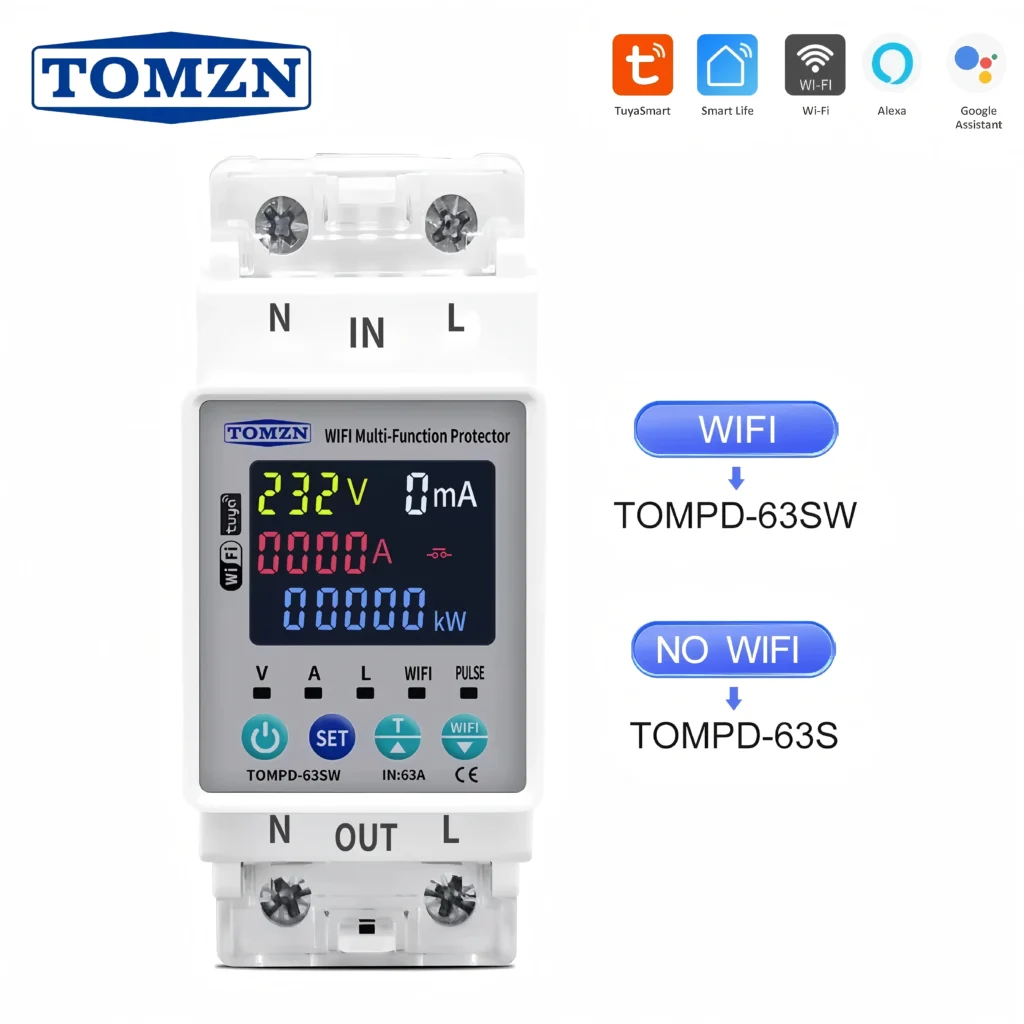
အမျိုးအစားအသစ် Din Rail single phase အပတ်စဉ် ၇ ရက် ပရိုဂရမ်ထည့်သွင်းနိုင်သော Digital Timer Switch