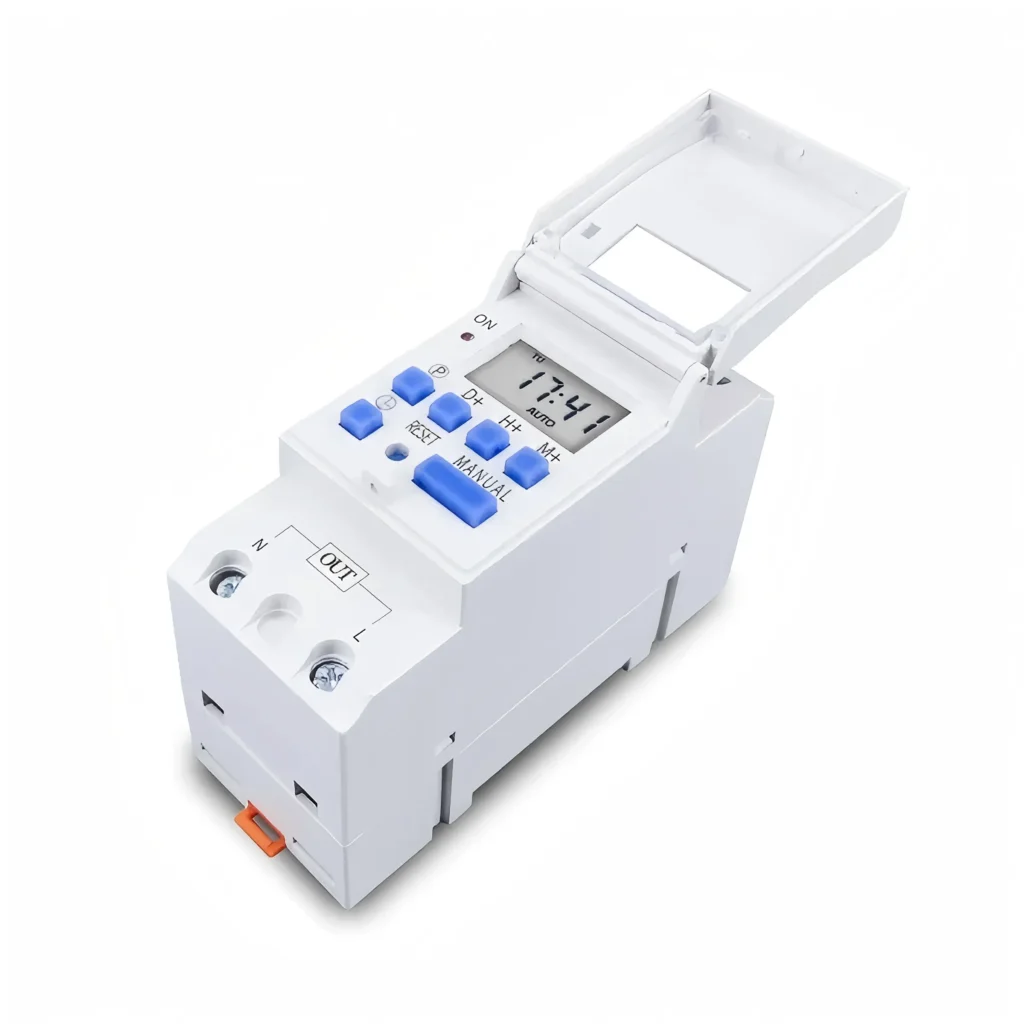
Lub sijhawm hloov pauv yog lub cuab yeej tswj hluav taws xob uas tuaj yeem hloov lub voj voog ntawm lub sijhawm teem tseg kom muab kev yooj yim rau kev teeb pom kev zoo, cua sov, tub yees thiab lwm yam tshuab hluav taws xob.
Kev nkag siab txog cov hom, kev ua haujlwm thiab kev siv ntawm lub timer switch yuav pab koj xaiv qhov kev daws teeb meem automation uas zoo tshaj plaws rau koj cov kev xav tau thaum ua kom muaj kev nyab xeeb, kev ua raws li txoj cai thiab kev ua haujlwm zoo tshaj plaws.
Lub Timer Switch yog dab tsi?
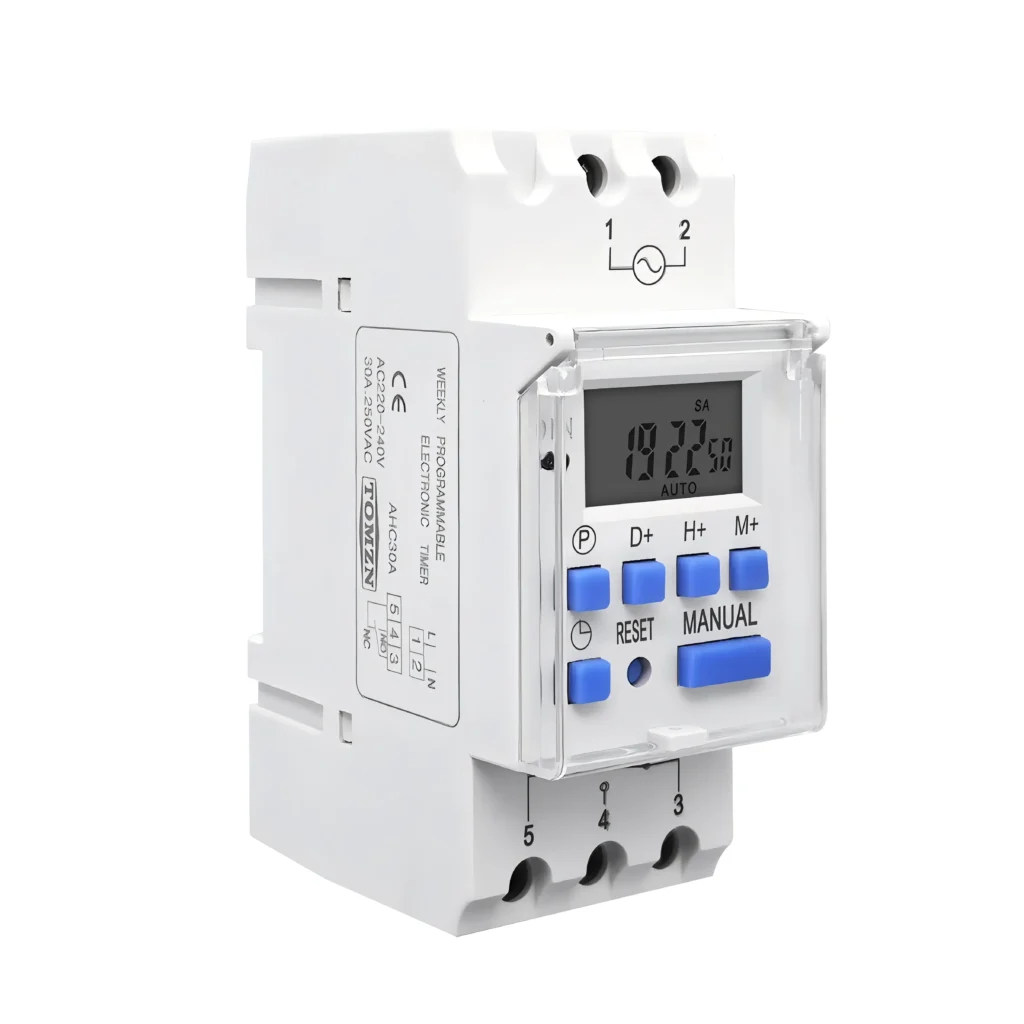
Lub khawm timer hloov lub khawm phab ntsa ib txwm muaj los ua kom lub voj voog tswj tau. Cov khoom siv no tswj lub sijhawm ntawm lub zog ntws mus rau lub cuab yeej txuas nrog los ntawm lub tshuab teem sijhawm sab hauv - lub caij nplooj ntoos hlav mechanical, lub microprocessor digital lossis kev sib txuas ntse.
Hom thiab yam ntxwv ntawm Timer Switches
There are many kinds of timer switch products on the market, which can be divided into the following categories according to their internal structure and function:
| hom | Sab hauv Cov Qauv | nta |
|---|---|---|
| Lub sijhawm hloov kho tshuab | Turntable, iav thiab dial | · Simple Structure · check · Txo nqe · Lub sijhawm teeb tsa feem ntau yog 24 teev. · Qhov tseeb ntawm qhov chaw teeb tsa yog qis. |
| Digital timer hloov | Microprocessor thiab LCD zaub | · Nws teem raws nraim rau feeb. · Nws muaj cov haujlwm siab heev xws li ntau pawg ntawm cov kev pab cuam, suav rov qab, hom random. · Nruab nrog lub roj teeb thaub qab. |
| Lub sijhawm hloov hluav taws xob | Hluav taws xob Cheebtsam | Functional Diversity: Nws tuaj yeem ua tiav kev tswj hwm kom raug dua thiab lub neej ua haujlwm ntev dua li kev siv tshuab. |
| Lub sijhawm hloov pauv ntse | Wi-Fi/Bluetooth module and integrated APP | · Nws tuaj yeem tswj tau thiab programmed los ntawm xov tooj ntawm tes App. · Txhawb lub suab pab |
Lub sijhawm hloov kho tshuab
Lub tshuab hloov sijhawm siv lub moos sab hauv lossis lub cev muaj zog sib dhos ua ke los tsav lub moos 24-teev uas tuaj yeem tig tau. Tus neeg siv teeb tsa lub sijhawm qhib-kaw los ntawm kev tig daim ntawv yas lossis lub ntsia hlau.
Nws yog qhov tsim nyog rau cov khoom siv hauv kev lag luam, twj tso kua mis, teeb pom kev yooj yim, cua sov dej, thiab lwm yam.
Digital timer hloov
Lub sijhawm hloov digital siv lub moos hluav taws xob siab-precision los ua kom lub relay, yog li ua tiav qhov tseeb thiab tsis siv neeg on-off tswj ntawm lub voj voog.
Nws yog qhov tsim nyog rau cov khoom siv hauv tsev, teeb pom kev zoo thiab cov khoom siv tswj hwm meej.
Lub sijhawm hloov hluav taws xob
Lub hauv paus ntsiab lus ua haujlwm ntawm lub tshuab hluav taws xob timer switch zoo ib yam li lub hauv paus ntsiab lus ua haujlwm ntawm lub tshuab digital timer switch uas koj paub, vim tias lub tshuab digital timer switch yog ib daim ntawv tseem ceeb ntawm lub tshuab hluav taws xob timer switch. Nws tsim nyog rau cov tsev niaj hnub, cov tsev ntse, thiab lwm yam.
Lub sijhawm hloov pauv ntse
Lub tshuab hloov sijhawm ntse yog ib lub cuab yeej siv tes ua uas ua tiav kev tswj hwm thiab kev tswj hwm los ntawm kev sib txuas network los ntawm kev siv cov haujlwm yooj yim ntawm lub sijhawm hluav taws xob thiab relay. Nws yog qhov tsim nyog rau cov tshuab ntse hauv tsev, kev tswj hwm chaw taws teeb, thiab lwm yam.
Lub hauv paus ntsiab lus ua haujlwm ntawm Timer Switch yog dab tsi?
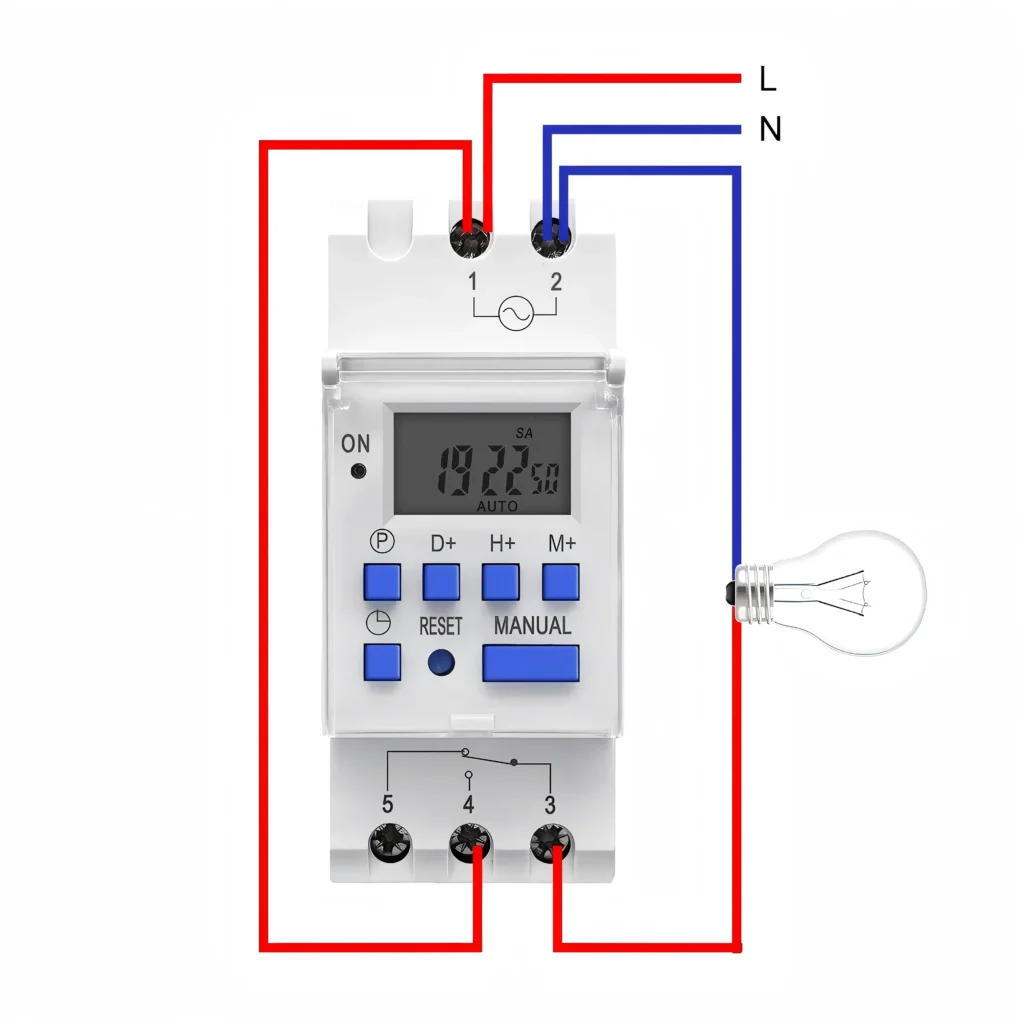
Lub hauv paus ntsiab lus ntawm lub timer switch yog kev sib xyaw ua ke ntawm lub moos mechanism thiab lub relay.
Lub moos mechanism
Qhov no yog ib feem ntawm kev teeb tsa thiab taug qab lub sijhawm. Rau lub tshuab hloov sijhawm ib txwm muaj, nws yuav yog lub caij nplooj ntoos hlav lossis lub tshuab hluav taws xob me me. Rau lub tshuab hloov sijhawm hluav taws xob thiab lub tshuab hloov sijhawm digital, nws yog lub microprocessor thiab crystal oscillator uas ua rau hauv , uas yog lub luag haujlwm rau kev tswj hwm lub moos tiag tiag.
Relay
When the built-in clock reaches the user’s preset on or off time point, it will trigger the relay. The relay is like an electric ‘door’, it will immediately close or disconnect the power supply circuit connected to the device, so as to realize automatic control.
Daim Ntawv Thov ntawm Timer Switch
Timer switches are widely used in daily life and industrial production. They are important tools for automation and energy saving:
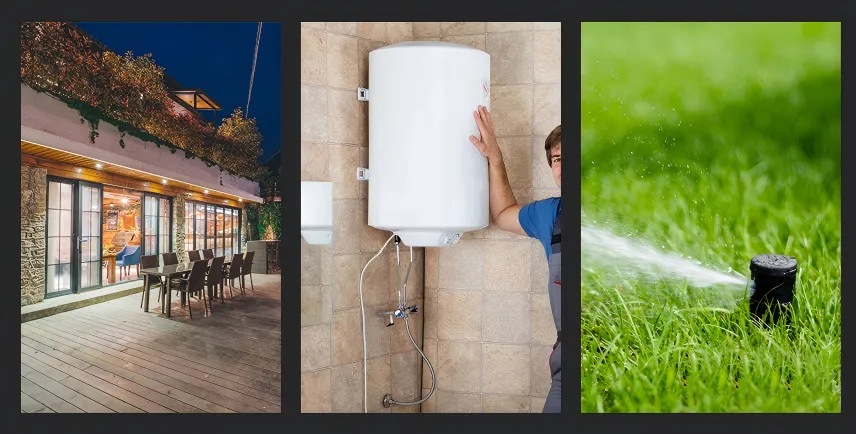
- Kev tswj teeb pom kev hauv tsev: teeb tsa lub teeb vaj, teeb pom kev zoo lossis teeb hauv tsev kom qhib tau thaum tsaus ntuj thiab kaw tau thaum kaj ntug.
- Chav dej thiab lub tshuab tso pa tawmSiv lub timer switch los tswj lub sijhawm khiav ntawm lub kiv cua tso pa tawm hauv chav dej, xyuas kom meej tias huab cua raug kaw tom qab kev ncig, thiab tiv thaiv kev nkim hluav taws xob.
- Cua kub cev : qhib thiab kaw lub tshuab cua sov dej lossis cov khoom siv hluav taws xob, tsuas yog khiav thaum xav tau.
- Daim ntawv thov kev ruaj ntseg: set the indoor lights randomly open and close, create the illusion of ‘someone at home’, with an anti-theft function.
- Kev lag luam thiab kev ua liaj ua teb: tswj cov twj tso kua dej, cov tshuab txau dej, teeb pom kev zoo ntawm cov ntawv tshaj tawm, cov khoom siv kab ntau lawm tsis siv neeg.
How to Choose the Timer Switch? (Mechanical and Digital)
When choosing the right timer switch for you, the most critical decision is to determine the precision and functionality you need:
| hom | Lub sijhawm hloov kho tshuab | Digital timer hloov |
|---|---|---|
| Precision xav tau | Qis. Feem ntau siv rau kev teeb tsa los ntawm ib teev lossis ib nrab teev. | Siab. Nws tuaj yeem raug rau feeb lossis txawm tias vib nas this, tsim nyog rau kev tswj hwm meej. |
| Cov naj npawb ntawm cov kev pab cuam | Tsuas yog ib txoj kev kho mob xwb thiaj rov ua dua txhua hnub lossis txhua lub lim tiam. | Txog li 20 pawg lossis ntau dua cov kev pab cuam hloov pauv tuaj yeem khaws cia. |
| Functional complexity | Kev hloov pauv yooj yim, kev ua haujlwm intuitive. | Muaj kev suav rov qab, hom random, kev hloov kho lub sijhawm lub caij ntuj sov thiab lwm yam. |
| Kev ntseeg tau | Cov qauv no muaj zog thiab feem ntau ruaj khov nyob rau hauv cov chaw ib puag ncig hnyav. | Kev cia siab rau cov khoom siv hluav taws xob, nws muaj kev ywj pheej ntau dua hauv kev ua haujlwm. |
Tomzn recommends: If you only need a simple daily repeat cycle, select a mechanical timer switch. If you need extremely high precision and a variety of different programs, please select a digital timer switch or an electronic timer switch.
No matter which timer switch you choose, you must check the technical specifications:
1. Qhov hluav taws xob ntsuas yuav tsum phim nrog koj qhov hluav taws xob muab khoom.
2. Rated current/load capacity (Current/Load)
- Saib qhov siab tshaj plaws tam sim no lossis lub zog siab tshaj plaws ntawm lub cuab yeej koj xav tswj.
- Select a timer with a rated current (such as 16A or 25A) greater than the current of your device.
- For high-power inductive loads (such as motors, pumps, high-power lighting), it is recommended to select a switch with a higher rated current to reserve a safety margin to prevent excessive starting current from damaging the switch.
Phau Ntawv Qhia Txog Kev Teeb Tsa thiab Kev Nyab Xeeb
Whether you are installing a mechanical timer, digital timer or electronic timer, please always comply with the following safety principles:
Kev siv hluav taws xob tawm
Ua ntej pib ua haujlwm txuas hluav taws xob, nco ntsoov tua lub hwj chim ntawm lub tshuab hluav taws xob loj.
Tshawb xyuas lub zog ntsuas
Ensure that the rated current and voltage of the timer switch of your choice (e.g., Tomzn 12V timer switch vs. 220V switch) is greater than or equal to the power requirements of the device to which you are connected.
Nug ib tus kws hluav taws xob tshaj lij
Cov kev ua haujlwm thiab cov nyees khawm ntawm txhua tus qauv yuav txawv me ntsis. Yog tias koj tsis paub txog kev txuas hluav taws xob, nco ntsoov hu rau tus kws kho hluav taws xob uas tsim nyog rau kev teeb tsa kom ntseeg tau tias ua raws li cov lus qhia hluav taws xob hauv zos.
Kev daws teeb meem ntawm qhov yuam kev ntawm lub Timer Switch
Lub cuab yeej tsis ua haujlwm li
Lub qhov hloov tsis teb, lub teeb qhia tsis ci.
| Faults | Vim Li Cas Muaj Peev Xwm |
|---|---|
| Equipment no electricity/no reaction | The power supply is not energized/wiring error. |
| Digital/smart switch screen is not bright. | Lub roj teeb uas ua rau hauv lub xov tooj puas lawm. |
| Lub mechanical switch turntable tsis tig. | Lub cev muaj zog sab hauv tsis ua haujlwm lossis daig. |
Equipment no electricity/no reaction
Tshawb xyuas tag nrho cov khoom siv hluav taws xob: to confirm the control of the circuit breaker (air switch) is in the ‘ON’ position.
Txheeb hlau: check the instructions again to ensure that the input (L/N) and output (load) wiring is correct and firm.
Digital/smart switch screen is not bright
Kev siv hluav taws xob txuas ntxiv: lub qhov hloov pauv txuas nrog lub zog hluav taws xob tseem ceeb rau ob peb teev. Feem ntau cov qhov hloov hluav taws xob muaj cov roj teeb thaub qab ua ke, uas yuav tsum tau them kom ua haujlwm li qub tom qab siv thawj zaug lossis hluav taws xob tsis ua haujlwm.
Xyuas lub fuse: qee cov qauv muaj lub fuse ua ke, tej zaum yuav yog vim muaj lub fuse luv luv
Lub turntable ntawm lub mechanical switch tsis tig
Sim siv koj txhais tes los co lub turntable. Yog tias nws tseem tsis tau tig thiab nws pom tias lub hwj chim tau txuas nrog, sab hauv ntawm lub qhov hloov yuav puas lawm thiab yuav tsum tau hloov.
Lub sijhawm ua haujlwm tsis raug lossis tsis ua haujlwm
| Faults | Vim Li Cas Muaj Peev Xwm |
|---|---|
| Equipment often on or off (timing failure). | Hom teeb tsa ua rau muaj qhov yuam kev. |
| Inaccurate on/off time | Mechanical: qhov yuam kev teeb tsa lub sijhawm tam sim no. Digital: qhov teeb tsa qhov kev pab cuam yuam kev. |
| Lub sijhawm hloov pauv ntse | Kev sib txuas hauv network lossis teeb meem sib dhos huab. |
| Lub dial hloov kho tshuab raug hla mus | Lub rotary dial teeb tsa xoob. |
Equipment often open or close (timing failure)
Check mode: Ensure that the dial switch (mechanical) or mode button (digital) is in the ‘TIMER’ or ‘AUTO’ (automatic) position, rather than ‘ON’ (normally open) or ‘OFF’ (normally closed).
Inaccurate on/off time
Mechanical: Re-rotate the dial to align the current time to the scale line/pointer.
Digital: Re-enter the programming mode to check whether all ON/OFF time points are correct, especially the week settings.
Lub sijhawm hloov pauv ntse
Tshawb xyuas Wi-nkaus: Xyuas kom tseeb tias lub switch txuas nrog lub Wi-Fi router ruaj khov, vim tias lub smart switch feem ntau xav tau lub sijhawm kho network tsis tu ncua.
Kev Rov Ua Dua Synchronization: Try to ‘synchronize’ or ‘restart’ the device in the App.
Lub dial hloov kho tshuab raug hla mus
Check that all the dials are completely in the ‘press’ or ‘dial out’ position to ensure good contact.
Switch damaged or burned (safety warning)
| Faults | Vim Li Cas Muaj Peev Xwm |
|---|---|
| Switch shell heating/burning smell | Excessive load (the most common reason) |
| Lub relay co tab sis lub cuab yeej tsis ua haujlwm. | Kev sib txuas lus relay ablation adhesion. |
Switch shell heating/burning smell
Thov tua hluav taws xob tam sim ntawd.
Xyuas lub hwj chim: Check whether the actual current/power of the device you control exceeds the rated load capacity of the timer (for example, the switch is 16A, but the load reaches 20A).
Hloov lub qhov hloov fais fab loj: If the load is too large, you must replace the timing switch with a larger rated current, and if necessary, you need to install a contactor/relay to divert the high-power load.
The relay rattles but the device doesn’t work
Kev siv hluav taws xob ntau mus ntev yuav ua rau lub relay contact raug rhuav tshem. Lub qhov hloov pauv puas lawm thiab yuav tsum tau hloov.
Kev txawj daws teeb meem dav dav
Tshem tawm qhov teeb meem ntawm lub cuab yeej nws tus kheej
Tshem lub timer switch thiab ntsaws lub cuab yeej uas yuav tswj tau ncaj qha rau hauv lub qhov (socket). Yog tias lub cuab yeej nws tus kheej tsis ua haujlwm, qhov teeb meem tsis yog lub switch.
Pib dua
Most digital timers have a hidden ‘Reset’ hole or button. Using small objects to press this key can clear all settings and restore the switch to the factory default state, which helps to solve the problem of program confusion.
Tej zaum koj kuj nyiam
TOMZN 2P 63A 110V 220V TUYA WIFI Ntse Hloov
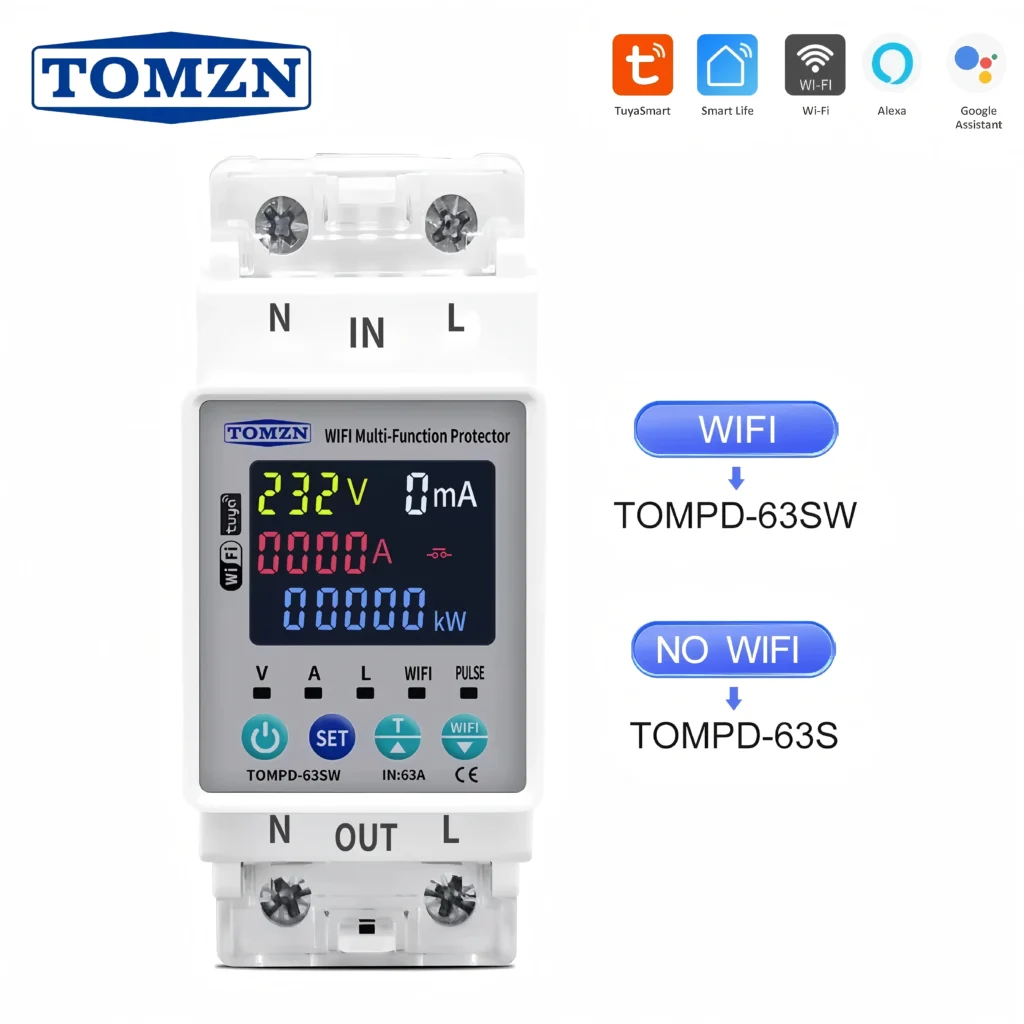
Hom tshiab Din Rail ib theem txhua lub lim tiam 7 hnub Programmable Digital Timer Switch